MCP Server Authorization — Auth 2.0
MCP Server Authorization — Auth 2.0
Image generated by SoraI’ve Just deployed a MCP server for Google Search Console (GSC), using OAuth 2.0 Authorization. And I’d like to share my thoughts about the Security topic.
Talking about MCP, as is something new, as it also AI related, it’s also concerning. We’ve read a lot of articles about privacy and how to share your data in all LLMs, So I understand that when you talk about these things, the first thing comes to the minds of the people that are listening to you are security:
- What happens with all that data ?- Am I giving the data of my GSC to the AI ?- _Is it safe to connect the MCP to my “AI” (LLM)?_Making long story short, you need to know what’s an MCP and how it the authorization works, and the other one, how are you using your LLM. Now if you want to long story….
One of the cool things of the MCP is that it “provides an __Authorization_ framework for use with HTTP”(_MCP Auth_)_. It means that MCP Clients like Claude Desktop, LibreChat, or Cursor can make requests to restricted MCP servers on behalf of resource owners.
Let me make you an example with the MCP Server of GSC:
My MCP Client is Claude desktop. Claude Desktop attach the MCP GSC, and automatically, a page pops up, in my default browser… that’s when the flow of the OAuth starts!
As I set up my MCP Server with OAuth authorization, the MCP Server, ask Claude Desktop (the MCP Client), for owner permissions, in order to use the tools of the MCP Server like query_search_analytics.
That will start a flow for asking, with which account we are going to use query_search_analytics.
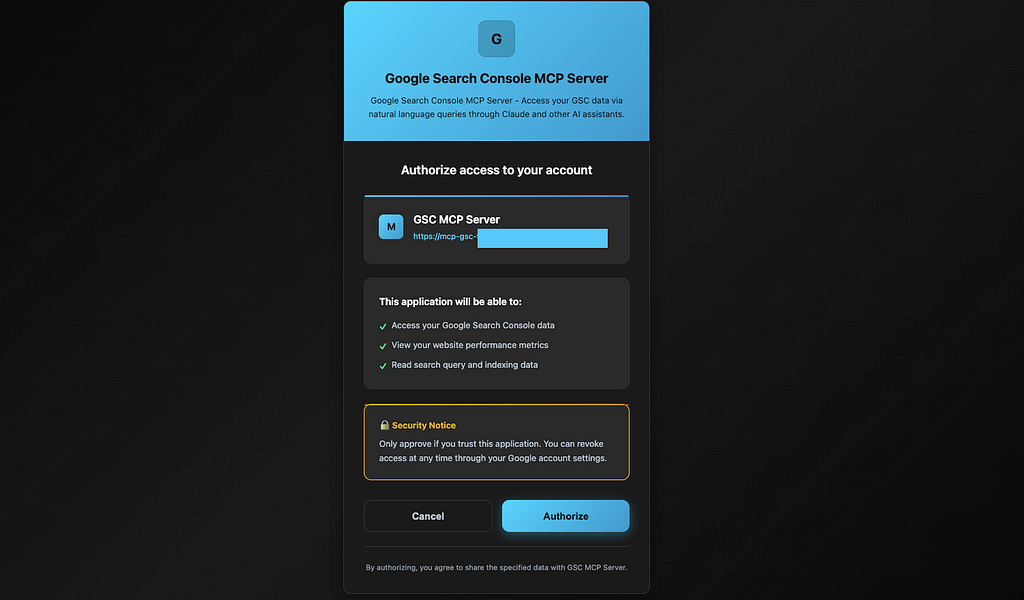
When I click on Authorize, the OAuth Flow begins and this is what, it happens:
MCP Server, ask me, David, that if I click on the Authorize button, I will grant permissions to the MCP Server to use query_search_analytics in my behalf. This will give the MCP server a token, you can see this like a temporary password.
So now if I ask in Claude desktop: Show me the top 10 search queries for my site last month
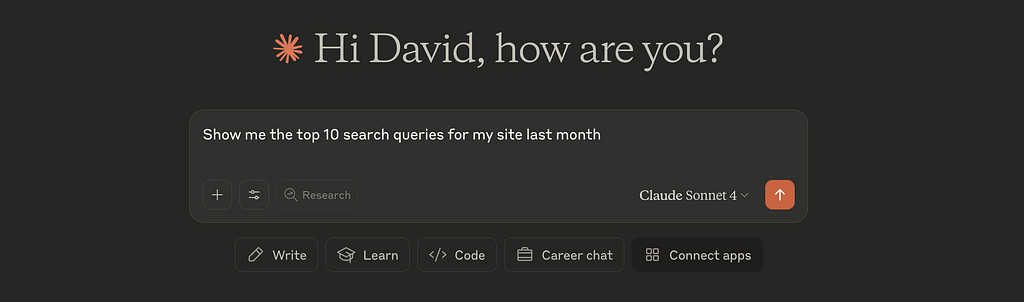
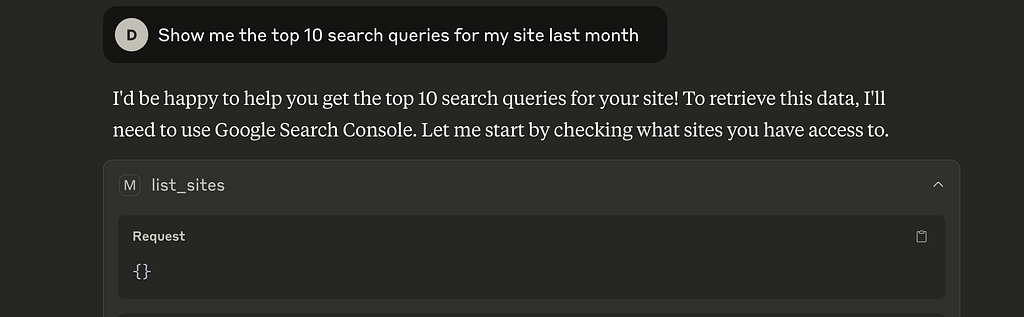
So first thing that Claude Desktop does is use another tools to see to which site I’m talking about. For that It use list_sites tool, to get a list of all the sites that I have access to GSC.
Then Claude replies me with “I can see you have access to a few sites! Since you didn’t specify which site you’d like to see the search queries for, could you please let me know which site you’re interested in? You have access to sites like” and it list me some of the ones that I have access to, and finish with “Once you let me know which specific site, I can get the top 10 search queries from last month for you”.

So I then, Claude Desktop, ask me, if I let it, to use the tool query_search_analytics from the MCP server (mcp-gsc-http).
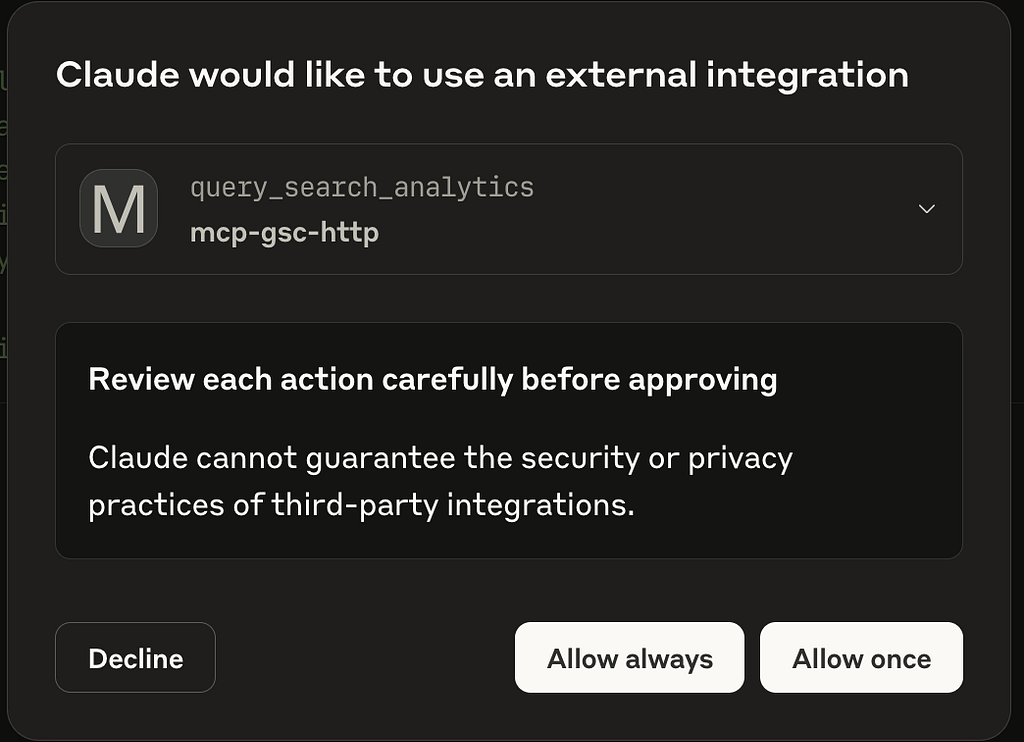
Claude — MCP integration
As the MCP server has the ticket to use this tool on my behalf, Claude can get the data, using the MCP, to give me the answer I was looking for.
Now we come back to the question marks:
- Have I give Claude Desktop my google account password? No, it only stores a token, which is a temporary password different from yours, to use it.- Have I give Claude Desktop the data of the query_search_analysis result ? No, as this is the paid version, this data is not shared.- Have my prompts being shared to train its models ? Again no. It’s a paid version of Claude, so no, the answer is again no.Here’s you can see an Oauth flow example:
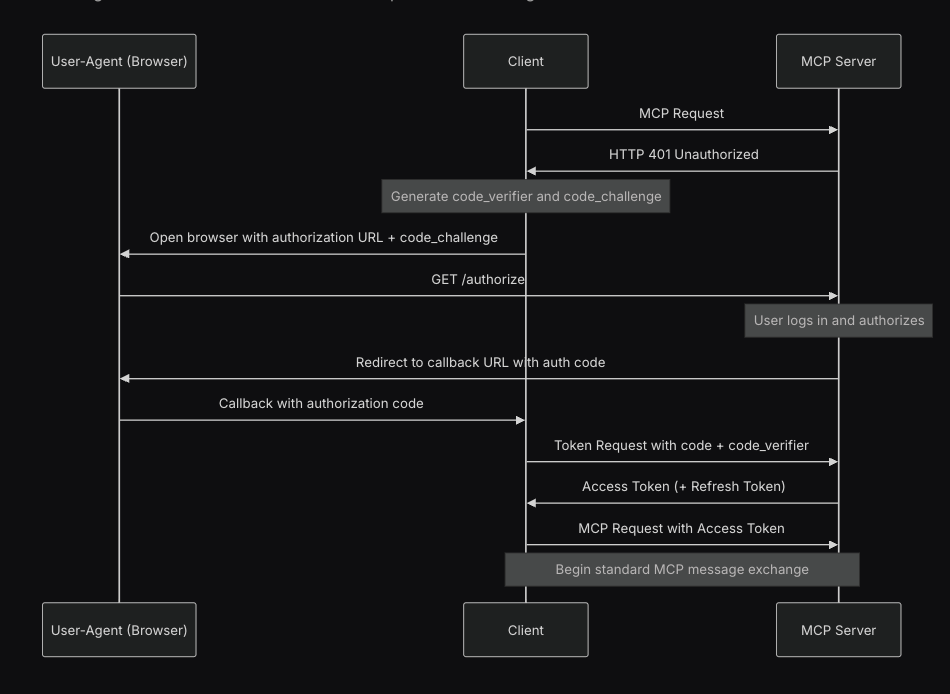
Example: authorization code grant
Now that we have learn that MCP can use OAuth, is the same like when they ask you to register or login with Google, Facebook, Github, ….