You can't block bot traffic from your website.
… but you can learn how they do it.
As Web Analyst, and mostly working with Google Analyst, the stakeholders asked me: “Can we stop having this bot traffic?”. Every time that the stakeholder asks me this question imagine one situation where it would possible:

”Promise me that you are not going to scrap our website”So as we are not scrappers. We can’t stop them doing so. Therefore, today I’m not going to explain you how to minify the traffic, quite contrary, I’m going to teach you how to create bot traffic to understand what really is.

image taken frmo here: https://www.youtube.com/watch?v=pdpljH1Lg5gI’m going to give you a python script, that I created today, using Selenium. I also use some other modules, to show you how you can change the options of your scrap, to make it harder to identify if this traffic is real or not.
Because I’m also a good guy, I’ll add as options, the posibility to avoid hiting Google Analytics, if you are scrapping your own website, or if you are behaving with your competitors while you are scrapping them.
The first line of the code contains the modules that we need
# Import the required modules
from selenium import webdriver
from selenium.webdriver.common.by import By
from selenium.webdriver.chrome.options import Options
from fake_useragent import UserAgent
Selenium … in a nutshell automates your browser to do what ever you code.
The second line … common.by import By, we use it, for scrapping certain elements of the page that we are scrapping. In my case, I’m working in the igaming industry, for an affiliate, so is so common to have pages where we list our partners and forward to them.
Here’s an example of what I’m saying. The bonus.com page shows a list of casinos.
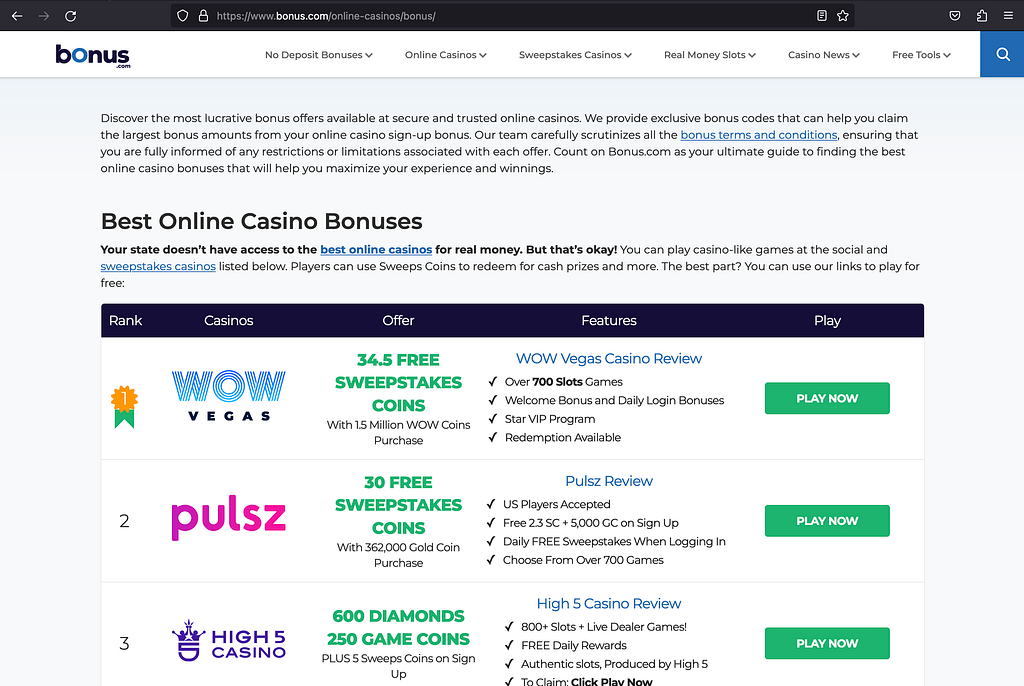
If we want to scrap this page, searching for these casinos, we can, for example, use the links that drives to this casinos, and find, if there’s something in the code, to find some common pattern. In this example, all the links, contain the string “/visit/”
The part that I use to get only this elements is the following:
# Find all <a> tags with href containing regular expression
visit_links = driver.find_elements(By.XPATH, f"//a[contains(@href, '{regexp}')]")

# Print the href attribute of each matching element
for link in visit_links:
  # print(link.get_attribute("href"))
  print(link.get_attribute("outerHTML"))
I used this script in a function and pass the string “/visit/” as a variable “regexp”, in case you want to change it.
But maybe the most magical part for a Web Analyst is the part where I tell them that you can customize the browser in so many different options, that it makes almost impossible to distinguishing, which is real and whichs is fake traffic.
You can, for example, customize if you want to be in incognito, which user agent are you using and much more other options. You can even, change randomly, every time that you scrape the page, use one or another option.
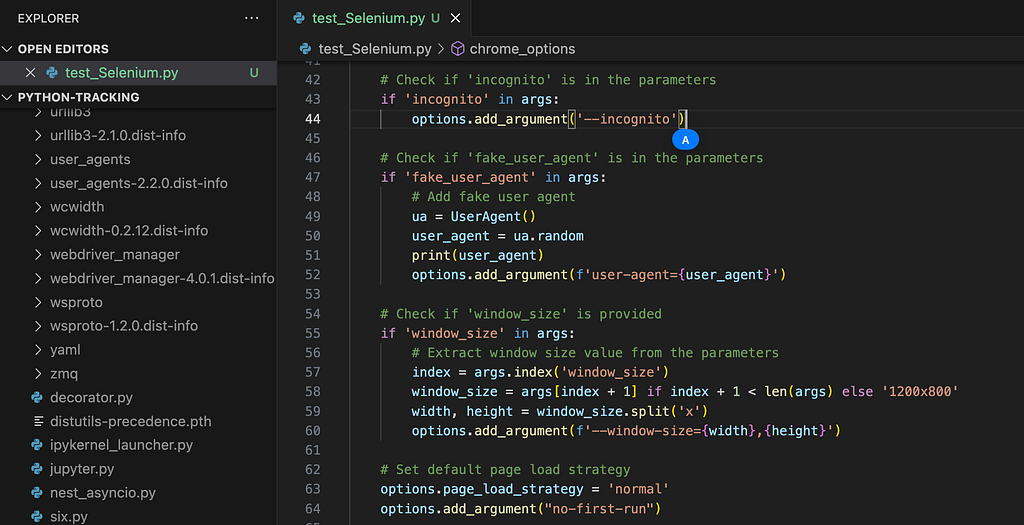
If you want to explore the functions, have a look at the function chrome_options.
I think the script speaks by itself, but I you have any questions, just comment it, and I’ll try to answer.
# Import the required modules
from selenium import webdriver
from selenium.webdriver.common.by import By
from selenium.webdriver.chrome.options import Options
from fake_useragent import UserAgent

def get_links_by_href(url, regexp, options):
    # Create a new instance of the Chrome driver
    # print("Create a new instance of the Chrome driver")
    # driver = webdriver.Chrome()
    driver = webdriver.Chrome(options=options)

    try:
        # Open the webpage
        driver.get(url)
        # Minimize the window
        # driver.minimize_window()

        # Find all <a> tags with href containing regular expression
        visit_links = driver.find_elements(By.XPATH, f"//a[contains(@href, '{regexp}')]")

        # Print the href attribute of each matching element
        for link in visit_links:
            # print(link.get_attribute("href"))
            print(link.get_attribute("outerHTML"))

    finally:
        # Close the browser window
        driver.quit()
        # pass

def chrome_options(*args):
    # Create ChromeOptions
    options = Options()

    # Check if 'debugging' is in the parameters
    if 'debugging' in args:
        options.add_argument("--headless")
        options.add_argument("--host-resolver-rules=MAP www.google-analytics.com 127.0.0.1")

    # Check if 'incognito' is in the parameters
    if 'incognito' in args:
        options.add_argument('--incognito')

    # Check if 'fake_user_agent' is in the parameters
    if 'fake_user_agent' in args:
        # Add fake user agent
        ua = UserAgent()
        user_agent = ua.random
        # print(user_agent)
        options.add_argument(f'user-agent={user_agent}')

    # Check if 'window_size' is provided
    if 'window_size' in args:
        # Extract window size value from the parameters
        index = args.index('window_size')
        window_size = args[index + 1] if index + 1 < len(args) else '1200x800'
        width, height = window_size.split('x')
        options.add_argument(f'--window-size={width},{height}')

    # Set default page load strategy
    options.page_load_strategy = 'normal'

    return options

if __name__ == "__main__":
    # Specify the URL of the webpage
    url = "https://www.bonus.com/online-casinos/bonus/"
    # print("Create a new instance of the Chrome driver")

    # Example usage:
    # options = chrome_options()
    # options = chrome_options('debugging', 'incognito',  'fake_user_agent', 'window_size', '1200x800')
    # options = chrome_options('debugging', 'incognito', 'fake_user_agent')
    #options = chrome_options( 'debugging', 'fake_user_agent')
    options = chrome_options( 'debugging')
    get_links_by_href(url, '/visit/', options)